
The Library Access
Mastering Embedded Systems, the finer details!
A collection of courses to learn Embedded Systems Programming with focus on learning by Hands-On Experiments.
We have done all the research, organized and structured the content with focus on reasoning from first principles, becoming productive fast, and insights.
Bestseller
Beginner
Intermediate
Advance
Last Updated: 16 June 2026|
English|
365 Days Access.
Hey there!
Includes
Collection of 25+ Courses.
200+ hours of recorded lectures.
200+ Lessons.
Emulator based experiments.
Hardware based experiments.
10+ downloadable resource.
Occasional workshops by industry experts.
Notes/Cheat-sheet.
Case studies based on open-source code.
Exercises and Coding Challenges.
Several Project implementation.
Free updates to the course.
Certificate on completion.
Details of Content
#1: Roadmap - Embedded Systems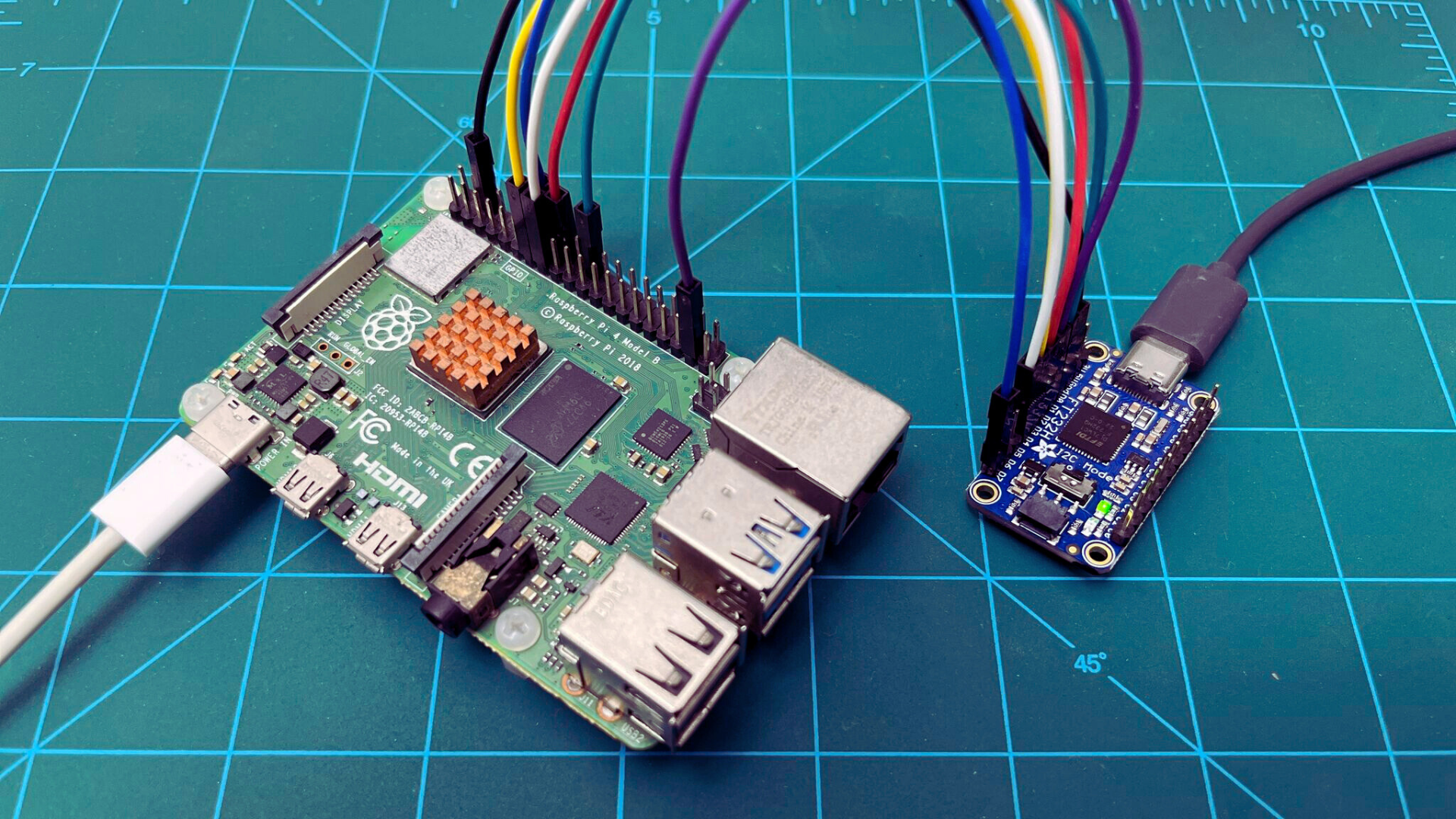
Start here - If you are looking to get a good idea of what is embedded systems and what are the typical journeys available to you based on your background in Electrical Engineering, Electronics Engineering or Computer Science.
Beginner
Free
Understanding Embedded Systems
what is embedded systems and how it relates to EE, ECE and CS
What is firmware and Systems Engineering
Firmware Engineering
Understanding What Firmware engineering is
Memory Map and the Programmer's model
State Machines and OS Primitives
Roles and Exploring listing
Systems Software Engineering
HLOS, Application Grade CPU and Virtual Memory
Roles and Skills
Exploring Opportunities and Skillset
#2: C Language @ Pyjama Cafe! (Book)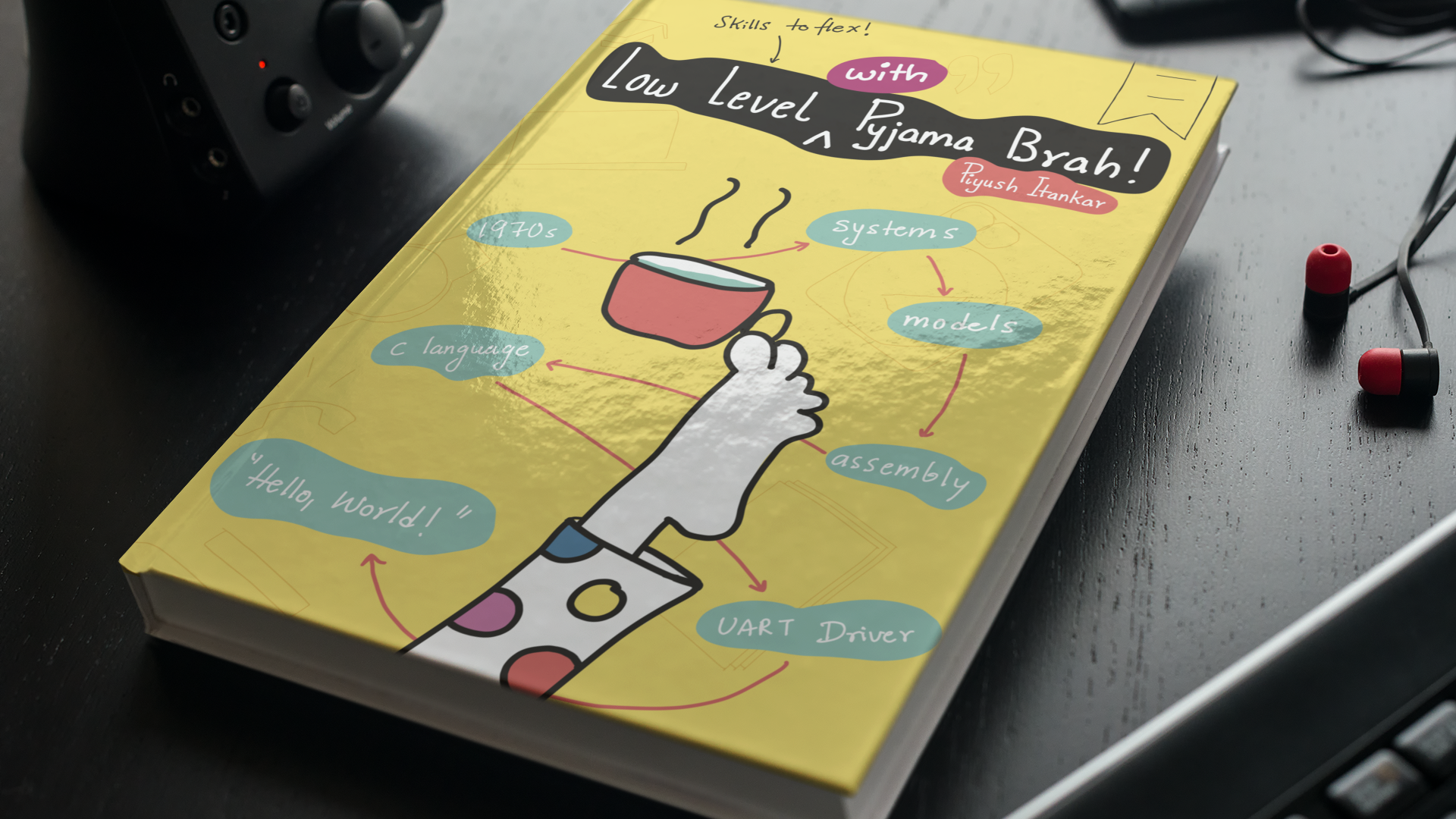
We are writing a book to teach C by understanding the CPU/Memory programmers model, exploring the ISA for RISC-V, the assembly, writing baremetal firmware/driver, and ends with printing 'Hello, World!'' on the UART.
The book covers lot more than just C. Things like Assembly, Makefile, GDB based Debugging, Linker Scripts, C, Driver Writing etc… The public draft is available for FREE for online reading.
Bestseller
Beginner
Intermediate
Part I - Mental Models
C: History and Relevance
Computer System Model
Storage Model
CPU Model
Instruction Set (RISC-V)
Setup - Virtual Lab
Part II - Assembly
Text to 0s and 1s
Assembly Language
Directives and Generated Assembly
Build Process
Part III - C Language
Keywords
Anatomy of Code
Not C Keywords!
C: Pointers
C: More Pointers
The power of structs
Object Oriented Approach
Part IV - Programming Embedded Systems
Mixing Assembly & C
CPU Boot Process
Code and Data Placement
C: Address Map and Struct
Interacting with Qemu UART
Where to Next?
#3: C (For those in Hurry!)
A short course on the four fundamental ideas in the C language that will enable you to be productive and work with code bases written in C.
Beginner
Introduction and Environment Setup
Goals and what to expect
Environment Setup - Codespaces
Offline Setup - (optional)
Mental Models - The Visuals of how the CPU works
CPU Memory Interactions
Animation - CPU/Memory Interaction
Functions
What is a function?
Essential parts of a function
Functions as machines with input and output
function inputs and function calls
function calls and assembly code
Bit Manipulation
Bit manipulation - Motivation
Visual reasoning behind Bit manipulation
Left and right shift operation
Other bit manipulation operations
Structure (struct)
What is a struct and the imagination
Size of the Struct and insights about paddding
Assigning and accessing struct members
Named assignment of struct members
Pointers
Pointers are numbers treated as address
Why we need pointers?
Pointer Variables and dereference operation
void pointers
pointer to struct
functions pointers (or callback functions)
Exploring Source code and Next steps
Exploring Linux Source code & conclusion
#4: The C Language
This course dives into the practical applications of the C language, emphasizing hands-on learning to solidify key concepts. Delivered in an engaging and unconventional style, the lessons go beyond theory, equipping you with the skills to apply C programming in real-world scenarios.
By the end of the course, you’ll feel confident in your mastery of the C language, adept at using it alongside the tools and utilities professional C programmers rely on daily.
Bestseller
Beginner
Intermediate
C Language Tour
Roadmap and Mindset
Sandbox Environment and Basic C Program
Keep an Eye on Functions, Pointers and Structs
Example of the RAW power - Functions, Struct and Pointers
Mental models to brain tattoo
Mental Model of the System
The mental model of the CPU
The mental model of the Memory
From Text to Binary
Instruction Encoding and the rv32i ISA
A tour of Toolchain, QEMU, GDB
Demo - assembly to binary, QEMU and GDB
Instruction Encoder Decoder, Makefile and GDB Dashboard
Dwelling in the world of Assembly
Anatomy of Assembly Program, writing code, debugging in GDB
Decomposing C to Assembly and the relation
Getting CPU from assembly to jump to C program
C Keywords - Data Types
Introducing the C Keywords
Data types, Variables and Integers
Datatypes - float and double
Exploring sizes of data types and location in memory
How integers are stored - 2s complement
floating point number encoding and few examples
more floating point - float and double
signed and unsigned
const and volatile
demo - const and volatile
void, c standard and gnu C manual
typedef and sizeof
structs and unions
enums as named numbers
C Keywords - Branching and Looping
if, else, switch, case, default, do, while, for, continue and break
goto and return
Demo - if, else if and else effects at assembly level
Demo - switch case and effects at assembly level
Demo - loops - for, do, while, continue and effects at assembly level
Demo - goto and jumps across functions
auto, register, extern and static
Demo - auto keyword
Demo - register keyword
Demo - extern keyword
Demo - static keyword
Variables and Functions
Introduction to Variables and Functions
definition vs declaration
Demo - variable and function names
Arithmetic operations and pitfalls
Project - 1
Problem statement
Problem statement walkthrough
Setup, variables and I/O
Using conditions, switch and loops
debugging scanf issue and cleaning up the code
guarding against bad inputs and concluding the project
Strings, Array and Pointers
Strings and concept of array and pointers
Defining and Assigning Arrays
Arrays and out of bound access
Strings and Character arrays
Introduction to the concept of pointers
Syntax related to Pointers
Demo - introduction to working with data pointers
Detour - Endianness
Demo - Difference between array and pointers
Project - 2
Problem Statement
Generating Digital Audio - walkthrough
Math concepts and sampling
Generating samples and file operations
Demo - Playing the Digital Audio
User defined Datatypes
Revisiting types of data types
Structures - Sneak peak
Anatomy of Struct and examples
Demo - structs
unions and how they defer from struct
Demo - union
Enums and fun experiments
Enum and Scope
Project - 3: Embedded Sensor Management
Problem Statement
Introduction and Walkthrough
Converting specification to data structure
The case for union and saving memory
Accessing elements with nested union and structs
Operators
Types of Operators
Arithmetic Operators
Arithmetic Operators at Assembly Level
Relational Operators
Relational Operators - Assembly Level decomposition
Use of Relational Operators
Logical Operators
Logical Operator - Assembly decomposition
Bitwise Operators
What are bitwise operations and the types
Shift Operations - Left, Logical Right and Arithmetic Right
Bitwise NOT operation
Understanding using printf
Understanding the Assembly View
Exploring the Shift operations
Assembly view of Shift operation
#5: C Pointers
In one intense, code-first course you’ll build rock-solid mental models, wield multi-level pointers, function callbacks, void*, and heap safely, then read real kernel source like a pro.
From '&' vs '*' to dodging leaks and dangling pointers, leave with the exact pointer super-powers that separate junior coders from firmware ninjas.
`Zero fluff, 100 % hands-on.`
Bestseller
Beginner
Intermediate
Mental Models, Motivation and Reasoning about pointers
What to Imagine?
What is a pointer?
Why pointers?
Pointers - Syntax and Code
Environment Setup
Declaring|Defining a Pointer
Pointer Variable and Address
* and & in relation to pointer variable
Multi-level Pointers
Use of * and &
Array and Pointers - Similarity and differences
Many *s and Many &s
Pointer to pointer
Array of pointers
Different types of Pointers
Pointer to Data
Pointing to data with a Datatype
Pointer to a struct, *, . and ->
Pointer Arithmetic
Memory model and pointer to data
Pointer to code - Function pointers or Callback
What is a function pointer?
Function pointers syntax
typedef and function pointers
Example - function pointer array
void pointer
What is a void pointer?
What is NULL and NULL pointer?
void pointers in - Linux source code
Pointers, Dynamic allocation and problems
heap/ malloc() and free()
Allocation failure
Memory Leak
Dangling Pointer
Double free()
pointer manipulation and unowned memory
Open Source code and Pointers
Baremetal Code
FreeRTOS
Linux
#6: Bit Manipulation in C
A Short course focused on how to do bit-manipulation in the C Language work.
Bestseller
Beginner
Introduction
The idea behind bit manipulation
Operators and practical aspects of Bit Manipulation
Bit Masking, Setting and Clearing Bits
#7: GDB - Debugging, Scripting and Tricks
A quick course on GDB and how to use it for debugging C based applications running on Linux as native applications and Firmware Code running on a development board.
Bestseller
Beginner
Introduction
Quick Introduction, Plan and Environment Setup
A quick demo - gdb look and feel
what is GDB and how it works
what is GDB
A model for how GDB works and dependencies
gdb commands
debug symbols, file, run, break and continue
DETOUR - fixing the annoying messages
list, layout, next, step
info commands
printing, setting variables, memory locations
setting conditional break points
watch points - write, read and access
printing ro examining memory regions - array, pointers
backtrace and stack frame navigation
Automation using command file and GDB dashboard
gdb command file, automation and dumping memory regions
GDB Dashboard
Debugging a Hardware Target
View of the Setup
Demo: Debugging Hardware Target
Conclusion
Conclusion and Next Steps
Notes
#8: Data Structures
Data structures are heavily used in sophisticated embedded system software. This course focuses on the commonly used data structures and their use in applications using the C Language.
Bestseller
Beginner
Intermediate
Introduction and environment setup
IMPORTANT
Introduction
Setup and work environment
Revisiting C Essentials
Three essential concepts in C
One dimensional array
Visualising and working with multi-dimensional array
The concept of structs
Everything you should know about struct
Pointers and Addresses
Pointers to struct
Abstract Data Types and Vocabulary
Abstract Data Types and Operations
Space and Time complexity
Linked List
Visualising Linked List
Code to represent a node and initialisation
Adding nodes and Traversing the list
Adding nodes at the end and reasoning about time
Testing the Run time for insertion
Searching for given data
Deleting data
Insert operation
Shipping the code as static Library
Queue
The concept of Queue and why we use it
Implementing the add interface
Improving run time of the add operation
Fetching the first entry in the Queue
Stacks
The concept of stacks and various operations
Implementing the push operation
Implementing the peek and pop operations
Trees
Concept of Tree and Terminology
Operations on Tree and managing nodes
Adding node to tree and challenges
Walking the Tree and explore free pointers
Strategy to find slot for new node
Implementing the algorithm to find free slot
Implementing the add() api (part - 1)
Debugging the add() api and confirming the addition of nodes
Traversal - preorder, inorder, post-order and breadth first
#9: ARM Cortex M (101)
An introductory course on the ARM Cortex-M CPUs. How to go about learning them.
Recommended for those new to the ARM M Class CPUs
Bestseller
Beginner
Introduction
The idea behind bit manipulation
Operators and practical aspects of Bit Manipulation
Bit Masking, Setting and Clearing Bits
Introduction
ARM CPU Architectures
Micro Architecture Vs Architecture
How to learn and master CPUs
Mental model of CPU Memory interactions
How to master CPU - Different models to learn
Mental Models and How to Use them
Programmers model - Register Set
Modes and Privileges
CPU boot-up and Register Set
CPU boot up and Vector Table
Exploring Cortex-M3 registers using QEMU
Conclusion
where to next.... Invitation
#10: ARM Cortex-M (102)
A rigorous course on mastering the ARM Cortex-M CPU's programmer's model by implementing a Round Robin scheduler written in pure assembly language.
Learn the assembly programming for ARM Cortex-M CPUs by writing a scheduler from scratch, without using any IDE, SDK or boiler plate code.
Bestseller
Beginner
Intermediate
Advance
Environment Setup
End Goal
Environment Setup
How the ARM M Class CPUs Work
Mental Model of the CPU, Systems and the Cortex M Controller
From bit to the Programmers model and NVIC
Various ARM Architecture and CPUs - M0, M3, M23 etc.
Programmers model for the M Class CPUs
Privilege and Modes of operation
Boot up process
Exception Handling and Register Save/Restore
Assembly Programs
Booting the Processor and First Assembly Program
Instructions, Encoding and binary dump
Anatomy of assembly file
Cortex m3 instructions and experiments
Stack manipulation instructions
Implementing the Scheduler - Theory
How can Single CPU run multiple processes?
Anatomy of a Task
Trick to Context Switching and Scheduling
Exception Entry, Exit and SysTick timer
Implementing the Scheduler - Hands On
Programming SysTick and confirming the exception
saving and restoring CPU context
Setting up the tasks and the stack and trying to round robin
Round robin and switching between processes
Conclusion
Things to be mindful of
FreeRTOS - the struggle to get to context switching
#11: GNU Make and Automation
Make is a build automation tool that automatically updates files in your project based on their dependencies. It's primarily used for compiling source code, but can also be used to run other commands or perform tasks.
Bestseller
Beginner
Intermediate
Advance
The Basics
Setup and Quick Introduction
First makefile and basic rules
Dependencies and when make misbehaves
Dependencies and Variables
Resolving dependencies - target as a dependency
A better example and variables
Pattern Rules and some internal variables
Variable for target, pattern substitution, functions and debugging makefile
Executing shell commands and assigning value to variable
Simple Project
Organising the source code and use of shell function
Discovering the header paths
Generating the path to headers and targets without recipe
Other features
Different names for Makefile and including other makefiles
Passing values form commandline, ?= and +=
macros
#12: GNU Linker Scripts
This 𝗵𝗮𝗻𝗱𝘀-𝗼𝗻 𝗰𝗼𝘂𝗿𝘀𝗲 dives into the 𝗱𝗲𝘁𝗮𝗶𝗹𝘀 𝗼𝗳 𝘄𝗿𝗶𝘁𝗶𝗻𝗴 𝗹𝗶𝗻𝗸𝗲𝗿 𝘀𝗰𝗿𝗶𝗽𝘁𝘀 (based on GNU LD). Linker scripts are a must-have skill for firmware and systems engineers who have to deal with scenarios where the placement of various sections (code, data, etc) in the memory needs granular control. Engineers who work on Bootrom, Firmwares, Bootloaders, or otherwise are involved in lower-level systems code.
Bestseller
Beginner
Intermediate
Advance
Introduction and Setup
Environment Setup
Opening and Closing the Codespace Environment
Compilation Process, Linker and the linkerscript
Demo - Resolving addresses and Merging sections
C Code and Allocation in Memory
Diagnostic Tools
Our own linker script
Goal
Anatomy, Memory details, Sections
Sneaky linker and linking multiple objects
Including and discarding sections from same file
Note
Discarding and wildcard
Two Memory systems
.rodata, problems with Single memory bank
Defining two memories and the problem with .data section
Introducing VMA and LMA
Copying .data section from ROM to RAM
Current location counter, variables and destination info
Address of .data section in the ROM
Code to copy .data section from ROM to RAM
Zero Initialising the .bss section
Creating custom sections and placing them
Linker command language
What is the linker command language
Linker Script and Statement
Expressions
Values
Symbol Names and naming rules
Location Counter
Expression Evaluation
Assignment operation
Assignment statement placement - relative and absolute addresses
Symbol types - Absolute and Relocatable
#13: Rust Forensics
This course teaches the Rust programming language by programming a ARM Cortex-M3 controller from scratch.
You will learn the rust internals by disassembling the code into assembly and reason about the CPU memory interactions.
Bestseller
Beginner
Intermediate
Advance
Environment Setup & Bare-metal Boot
Codespace Setup
Hello World
QEMU and the ARM M Cores
Baremetal Boot of Rust Code
ARM M CPU and the boot-up flow
Putting it all together
Debugging the Boot up
Disassembling Rust Programs
more lectures will be added soon
#14: FreeRTOS - Teardown and Porting
Learn FreeRTOS kernel by tearing it down to it's bare minimum and doing a port for a new target from scratch. This includes booting the CPU from scratch and placing the code in memory manually.
Bestseller
Beginner
Intermediate
Advance
Introduction and Setup
What and Why FreeRTOS
Demo walkthrough - End goal and Tools
Codespace Setup
Booting the ARM M CPU from Scratch
Programmers model and Essentials of ARM M CPU
Demo - Booting the CPU
Exploring FreeRTOS Source
Jumping from Assembly code to function in C files
Fixing the problem of function calls in C
Getting the FreeRTOS source code and documentation
Integrating the FreeRTOS Kernel
Starting to Integrate the FreeRTOS-Kernel
Finding and fixing the portmacro.h errors
Finding and adding the FreeRTOSConfig
Enabling heap for dynamic memory allocation
Setting the Scheduling Rate
Getting the Kernel to compile successfully
Investigating Runtime Instabilities
Running the compiled binary
Investigating why task is not getting created
GDB Investigation - Memory Allocation failure
Correcting the boot-up code and memory init
Debugging and Getting the Scheduler to run
Installing the Exception Handlers
Hunting the cause for the Hard Fault
Getting the Scheduling to work
SVC Handler leading to Hard Fault
Fixing errors and Testing on real hardware
Correcting the Linker script and reasoning about SVC
Working with the Hardware, uploading the code
Loading the code to board and exploring task scheduling
Conclusion and Next Steps
Exploring the Scheduler implementation
Summary and What to pursue next
#15: Zephyr 101
A short course introducing the Zephyr OS with hands on execution of an example. Recommended for beginners
Beginner
Intermediate
Introduction
What to Expect
Notes
Environment Setup
About the Environment
Setup docker and Test
Fetch and setup the Zephyr SDK
Components needed for zephyr development
Getting the Zephyr SDK
Setup python virtual environment and install modules
Get the source code and compile the firmware
Fetching the zephyr OS Source code
Update the zephyr OS repo
Compiling the sample application
Run the program on qemu
Load and run the firmware on qemu
Exiting qemu
Code Organisation
This section is being worked on.
Conclusion and Next Steps
This section is being worked on.
#16: Git and Gerrit
Git and Gerrit are pivotal tools in the software development industry, each serving distinct yet complementary roles that enhance collaboration, code quality, and workflow efficiency.
Bestseller
Beginner
Orientation, Context and Tour of GIT
Introduction and Team Setup
Simulating the real world on local machine
Quick Tour of GIT - why and how
Where to install git from
git commands
the init command
status and adding files to staging area
commits and git data management
discarding experimental changes with checkout
resetting and discarding commits
#17: Aarch64 (101)
ARM based CPUs powers majority of the modern Compute. This includes Phones, Tablets, Servers, Watches, Automotive infotainment among many others.
Assuming no prior experience, this course introduces the ARM 64 bit architecture (referred to as aarch64), how to think about it, and how to master it. Intended for anyone interested or getting started with the architecture.
Bestseller
Beginner
Free
Introduction
Who is ARM as the Company?
A Class CPUs, Architecture and Micro Architecture
CPU, Memory and Mental Models
How to learn CPU - different models
CPU as seen by Software Programmer - Programmers model
Execution Levels and Execution Worlds
Programmers guide and revisiting uArch
Long discussion on Els and Secure/non-secure
Exception Levels
Secure and Non-Secure world
Use cases and Software Execution in different ELs
Use case for Secure World Software Execution
Revisiting the Document
Programmer's Model - Registers
GPRs, QEMU and Demo
Exploring the idea of System Registers, SCTLR as example
Processor State Register - CPSR or PSTATE
Idea of Exceptions and saving CPU state
Special Registers
Case study and Conclusion
Boot process - Single core and Multi Core
Setup and Demo - Glitch at the end
Revisiting the Demo
Next
#18: Aarch64 (102)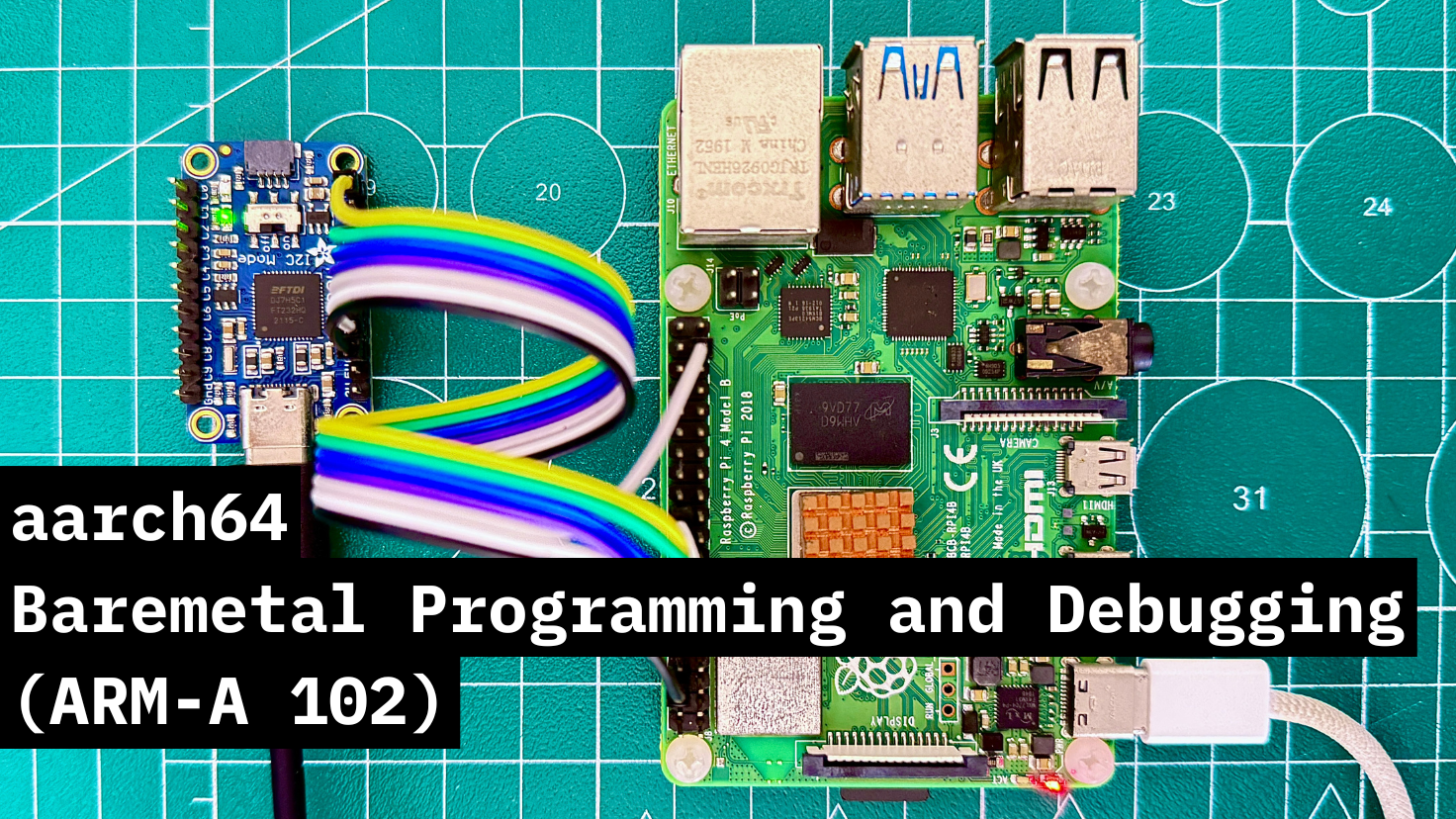
Get a deeper insight into the ARM 64 Bit CPUs by booting and programming the `aarch64` based Cortex-A72 on the Raspberry-Pi4B - from scratch!
You will code both in Assembly and C to get the CPU to print 'Hello, World!' on the UART. There will be no IDE used. Everything right from the Linker script to the Makefile for the automation will be written from scratch.
Assumes no prior knowledge. Recommended for anyone wanting to understand how a application grade CPU boots from scratch.
Bestseller
Beginner
Intermediate
Advance
Introduction and Essentials
Course Introduction
Repository and documentation
Tour of Hardware Components
Operating system as development environment
System on Chip (SoC) and Boot Flow
What is System on Chip (SoC)
Getting the RaspberryPI OS and exploring the contents
The Raspberry Pi 4B Boot sequence
The Raspberry Pi 4B Boot Sequence
Files on the SDCard
Preparing the SDCard and booting RaspberryPi
RPI 4b and FT232H connection
Environment Setup for Development and Debug - OpenOCD, JTAG and GDB
The case for hardware debugging
Setting up OpenOCD from source and GDB Dashboard
OpenOCD and GDB in Action
FT232H and Raspberry PI connection for JTAG mode
Compiling first assembly program
Debugging our code with OpenOCD and GDB
UART Driver and Printing `Hello, World!`
multi-core boot and jumping to C function
memory mapped IO and controlling the hardware
Demo - Sending bytes on the UART
Uart protocol, and exploring the register configuration
Debugging the UART configuration (failed attempt)
Fixing code with buggy documentation, printing Hello World
Next Steps and conclusion
Ways to dive deeper
#19: System Components - MMU/SMMU
A Course dedicated to understand the concepts of Virtual memory and the hardware components that enable it - the Memory Management Unit (MMU) and the System Memory Management Unit (SMMU).
Intermediate
Advance
Setting the Background
Problems with multiple processes and physical addresses
Exploring reasons for Memory Managementn
Imagining Memory Management Unit
Logical Placing of MMU Hardware
Regarding Virtual memory assumption - Small Clarification
MMU's mappings and where are they stored and retrieved
Towards Efficient Desing of MMU mappings
First level optimisations mappings
Continued - One Last Optimisation trick
#20: Build and Run Linux Kernel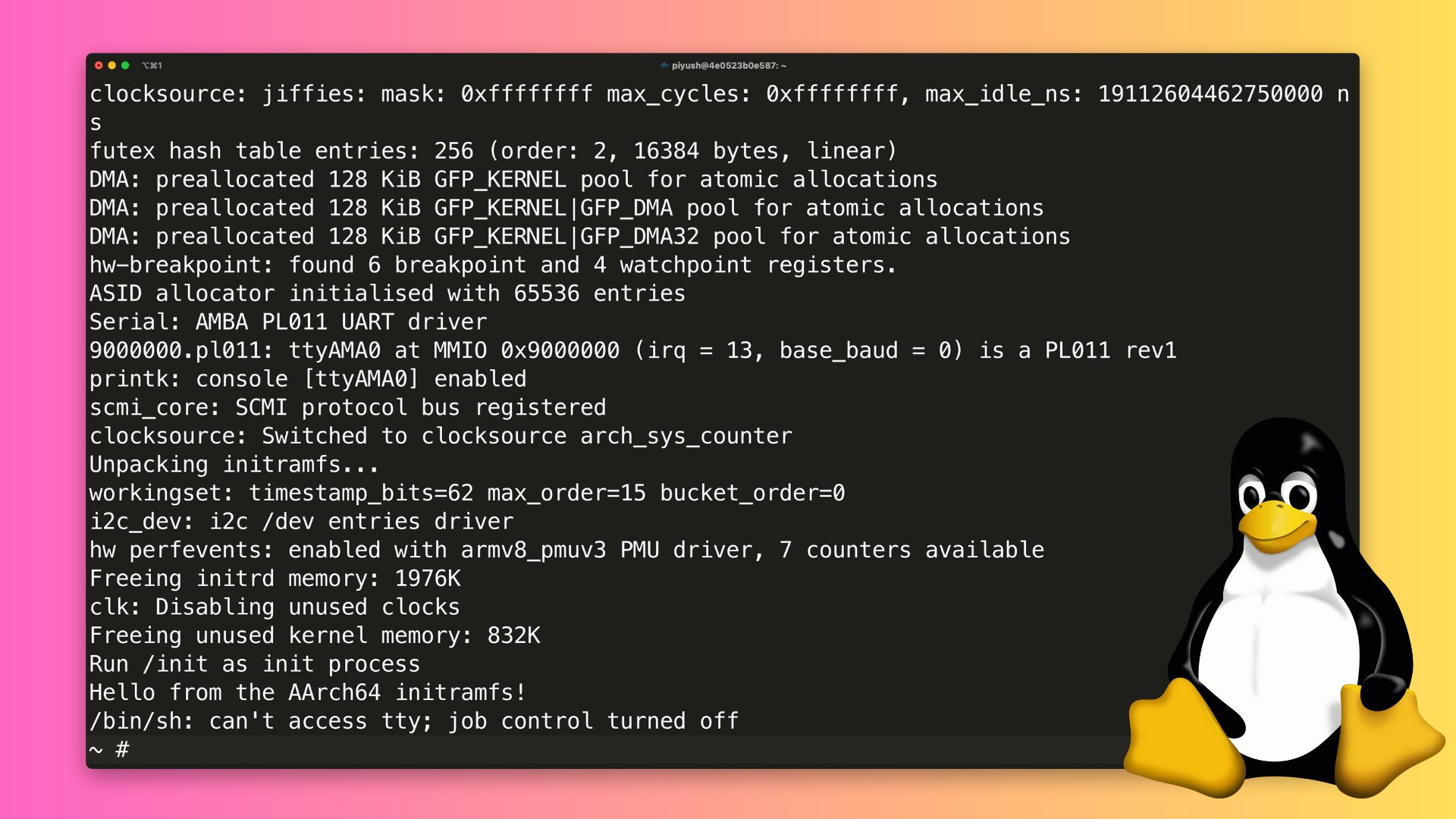
Unlock the power of low-level system development with this hands-on video course, designed to guide you through the process of building a Linux kernel from source for the ARM64 architecture and running it on the QEMU virtual machine.
Perfect for developers, system administrators, and enthusiasts eager to dive into kernel development, this course provides a step-by-step approach to compiling, configuring, and deploying a custom Linux kernel, using BusyBox to create a lightweight userspace environment.
Bestseller
Beginner
Introduction
Introduction
Cheat sheet
Environment and Plan
Using docker to create a linux host machine
Setup, Build and Run
Installing the toolchain and utilities
Compiling the kernel
Ramdisk and busybox
Getting and building busybox
Creating the ramfs image
Booting the kernel
Trim the Kernel
menuconfig and .config
The trimmed Linux Kernel
the .config file
Recap and Conclusion
Revisiting all the steps and the significance
(Bonus) Device Tree
Resources and Pointers
#21: Linux Device Drivers (101)
A hands on Introduction to Linux Device Driver development. Recommended for those getting started with driver development.
Bestseller
Beginner
Development Environment
A sandbox to run our experiments
mac-setup
Linux Setup
Windows-setup
Multipass relaunch and installing utilities
Linux Kernel and Roles of Device Drivers
Linux Kernel, System and Bootup
User Space, Kernel Space, system calls and device drivers
Files and File operations, System Calls and Drivers
Basic Loadable Kernel module and utilities
Our first Loadable module - Minimum Code based
Deep Dive - make and Makefile
Using lsmod utility to list loaded Kernel Modules
insmod, module and the kernel
rmmod, kernel and module unloading
modinfo and the mod.c file
Extending the Driver to be user interactable
proc file system, system calls and user interaction
Exploring entries in /proc
creating the /proc file entry and screwing up the kernel
Implementing the read operation
Data Passing
Passing data to user from kernel
User space app example and challenge for you
Conclusion
Quick Revision, What we did not cover and where to next..
#22: Linux Device Drivers (102)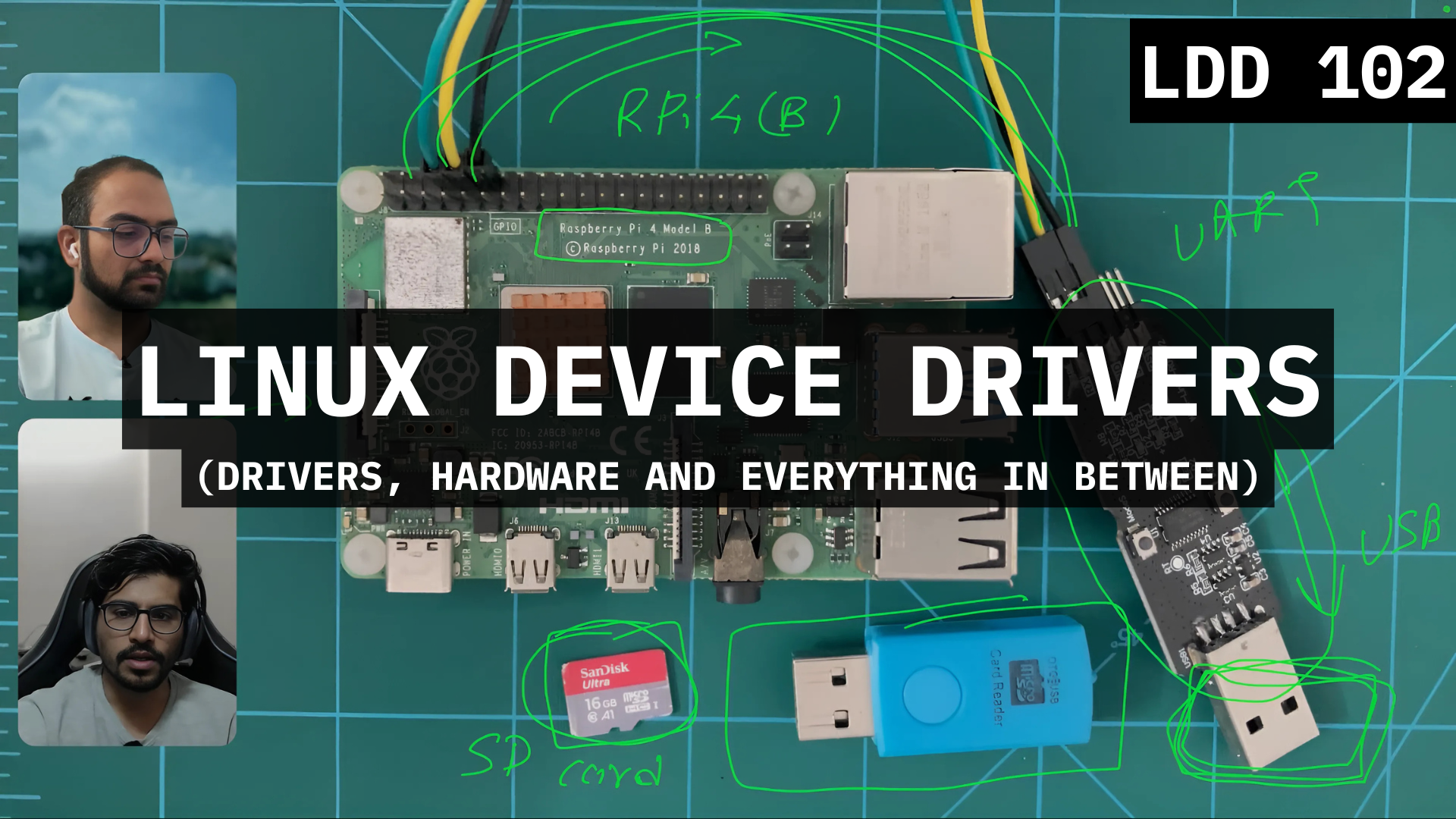
Course on writing and understanding how the Linux Device Drivers controls real hardware. In this course, we write a kernel driver for the GPIO port of Raspberry Pi - 4.
Bestseller
Beginner
Intermediate
Advance
Trailer
Driver Blinking the LED
Introduction, Hardware, and SoC Boot flow
Hardware and Expectations
Demo - Baremetal Boot
The generic Boot flow for SoCs
Try it yourself - setup the SD Card
Raspberry-Pi & WCH Connection
Setup and Boot the Raspberry Pi OS
Reasons to use a OS image from RPi
Imaging the SD Card with RPi OS
Boot and debug the configuration
Login - ssh into the Rpi
Setting up VS Code to work over ssh
Writing and understanding a simple driver
LED toggle - Crude driver
The driver structure
Details - module init and cleanup
Lectures being recorded.
#23: Linux Device Drivers: Kernel Facilities & Helper Functions
The Linux kernel doesn't use the Standard C Library and implements the functions as it's own modern libraries. This course is focused on exploring the facilities and helper functions the kernel provides to manage data and different activities from the driver.
Bestseller
Beginner
Intermediate
Advance
Expectations and Getting Started
Introduction and what we will cover
Environment Setup
Browsing the Linux Kernel Source
the container_of() macro
What it is and why care?
Discovering the implementation of container_of()
Implementation in the Kernel
Linked Lists
Linked Lists and how the kernel helps us
the linux/list.h file
Exploring the list_head struct and understanding how lists will work
Initializing head pointer
Adding to the list
Traversing the list
Deleting entries from the list
Be mindful when deleting
The Kernel sleeping mechanism
The case for wait queue
Using wait queue in the driver
Review and next steps
Standard Timers *
Jiffies vs Hz *
The timer API *
Timer Setup and Initialization *
Standard timer example *
High-Resolution timers (HRT) *
The API and parameters *
HRT Setup and Initialisation *
Dynamic tick/tickless kernel *
Delays and Sleep in the Kernel *
Atomic Context *
Non-Atomic Context *
Kernel locking mechanism *
the Mutex APIs *
the Spinlock APIs *
Spinlock vs Mutex *
Work deferring mechanism *
Softwirqs and ksoftirqd *
Tasklets - declaring *
Enabling and Disabling a tasklet *
Tasklet scheduling *
Work queues *
Dedicated work queue *
Kernel threads *
Kernel interruption mechanism *
Register an interrupt handler *
Interrupt handler and lock *
Concept of bottom halves *
Limitations and solutions for bottom halves *
Threaded IRQs *
Invoking user space application from the kernel *
Lectures marked with a * are begin recorded and will be available soon.
#24: Source Code Walkthrough
Learn how to tame huge code bases written in C. Techniques, tricks and general patterns that help understanding the structure and abstractions used in a repository.
Bestseller
Beginner
Intermediate
Advance
Little Kernel (LK)
Setup and getting started
Reverse engineering directory structure
Reverse engineering the APP structure
Deciphering compilation logs
LK Startup Code deciphering
Two Segways - Towards deciphering Boot Code
LK Startup Code broad Overview
ARM64 Exception Levels - Quick Refresher
aarch64 Exception level switching
FPU SVE/NEON, Cache Configuration
All about Stacks and SP
Page table setup in Memory
MMU Initialisation and TTBR setup
Stack Setup and BSS section
Secondary Cores Boot path
Trampoline Vector path
Calling kernel's main()
more videos being recorded...
#25: FPGA based Hardware Design (101)
This course focuses on Digital Circuit Design using FPGAs (Field Programmable Gate Arrays). Recommended for Software Engineers to help them understand how the underlying electronic machines work.
Bestseller
Beginner
Quick Demo
Demo - FPGA and deploying simple circuits on it
Essentials
Understanding the Transistor
Using transistors as a base for logic gates
What is an FPGA
Exploring the iCEBreaker Development board
What does programming FPGA mean?
icestudio and simple circuit
Mental model for the internals of the FPGA
Build flow and tools
More lectures to be uploaded soon
#26: The Podcast
Casual Conversations with Embedded Systems Experts. We show up with the guests, you show up with 🍿!!
Beginner
Intermediate
Podcasts
Manav | SoC Design flow, MIPS, RISC-V and Automotive
Jegan | Automotive Embedded Software, Autosar and Opportunities
Hardik | How he became a PCB designing
Aayush | Career, Roles, Teams and GPU
#27: The ART of Technical Discussions
Organised collection of topics, projects and questions from the web that a Embedded Engineer should know and be able to reasons about.
Bestseller
Beginner
Intermediate
Format and Introduction
Introduction and Format of the Course
Key Concepts in C
Key concepts in C
C Program and Memory Layout
.text section and behaviour in freestanding and hosted environment
Stack, the location and what all goes there
Understanding Heap and the need
demo - code analysis
structs and union
volatile and const
bit-manipulation and pointers
General Embedded Systems
Section Introduction
Some History of computing system
CPU, Memory, ISA and IO
The concept of Interrupts
More lectures being recorded...
#28: Tech Syncs
Live Tech Syncs with learners every once in a while where we discuss ad-hoc topics relating to Firmware and System Software Engineering.
Bestseller
Beginner
Intermediate
Advance
Recorded Sessions
ARM Cortex-M CPUs (part - 1)
ARM Cortex-M CPUs : Memory Model (part - 1)
RISC-V - Introduction
ARM Cortex-M CPUs : Memory Model (part - 2)
Raspberry Pi PICO 2 SoC Deep Dive (Part 1)
Understanding PCIe (Part I)
AutoSAR - Introduction
Understanding PCIe (Part II)
How to Embedded Systems?
Hardware used
Experiments are performed on one of the following Hardware (or the Emulator option available on QEMU). The hardware is not included and needs to be bought separately.
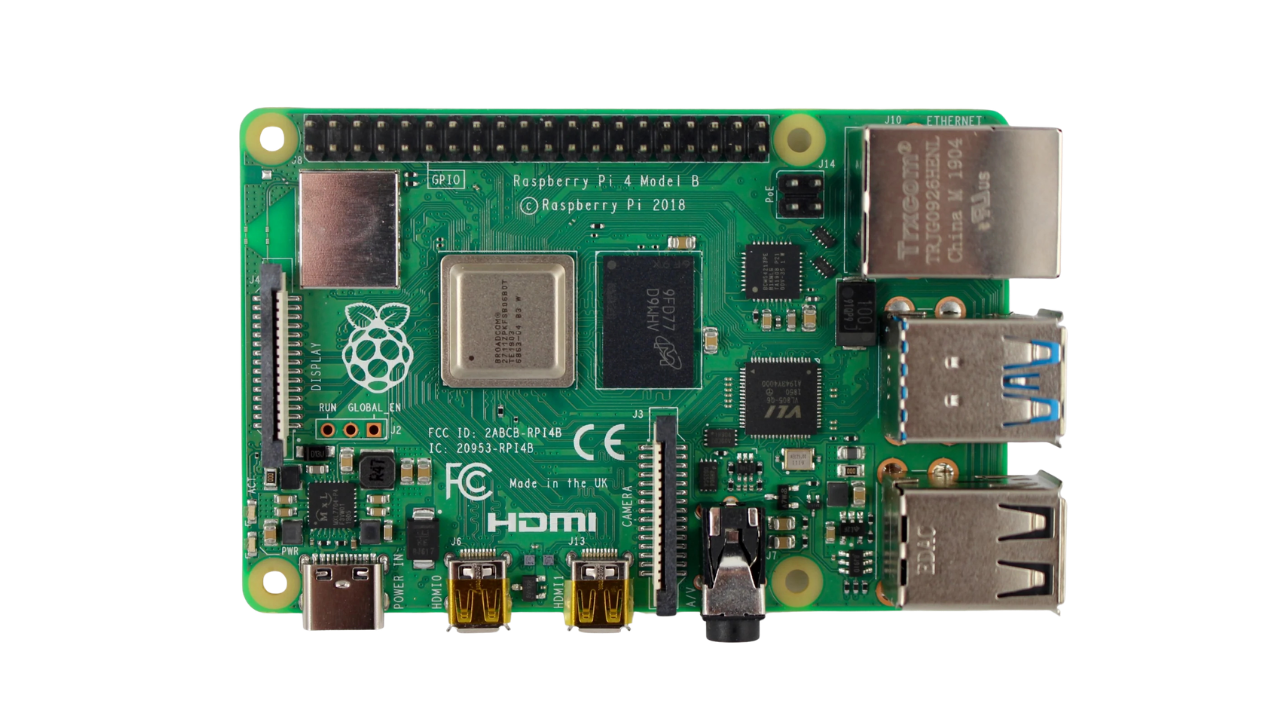
Raspberry Pi 4B
The ARMv8 Architecture based courses use RPI4B to tech the ARM 64 Bit CPU based concepts.
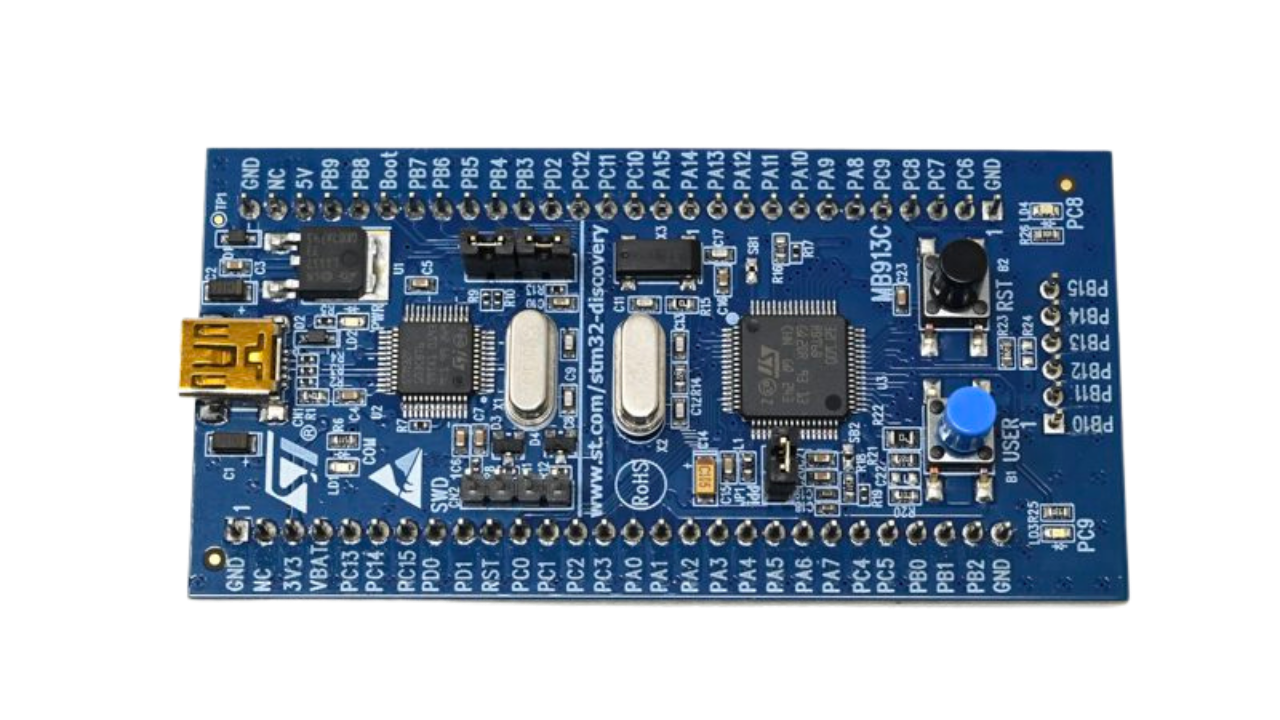
STM32VLDiscovery
This board has a ARM Cortex-M3 Core. It has a QEMU based target which makes it great for emulation as well as a good physical target to learn the architecture and firmware development on.
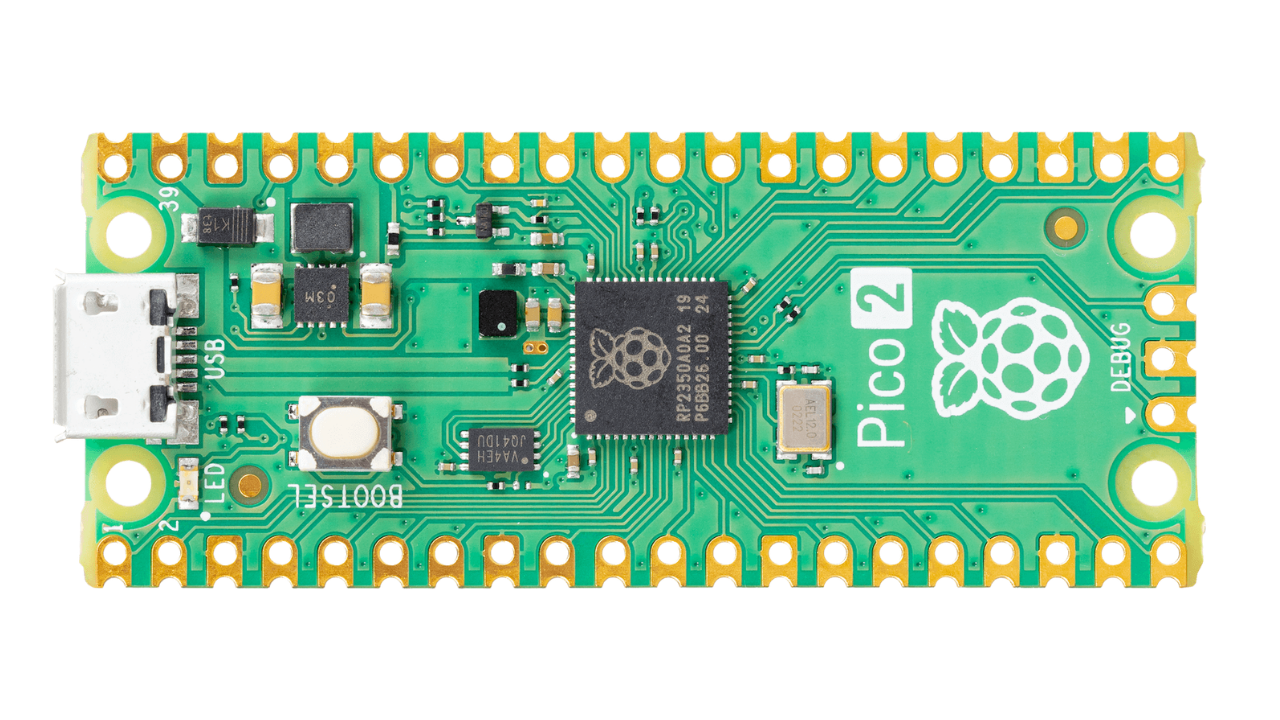
Raspberry Pi Pico 2
The Rpi-PICO 2 is a great low cost board to learn RISC-V, ARM-M33 and multi-core controller based application.

QEMU Emulator
The Rpi-PICO 2 is a great low cost board to learn RISC-V, ARM-M33 and multi-core controller based application.
What you will learn
C programming, converting to Assembly and machine code.
Grasp ARM-M, ARM-A, and RISC-V memory maps and programmer’s models.
Write and debug C programs for practical use.
Command C constructs - functions, pointers, structs, unions, enums.
Analyze data types - integers, floats, doubles, signed/unsigned, const, volatile.
Understand data type memory representation - 2’s complement, floating-point encoding.
Implement control structures (if, else, switch, loops, goto) and track assembly effects.
Manipulate arrays, strings, pointers, and perform pointer arithmetic.
Leverage debug tools - GDB, make, addr2line etc.
Build mental models for pointers in firmware, Linux, FreeRTOS, Zephyr.
Master pointer operations - pointer-to-pointer, arrays, function pointers.
Handle pointer arithmetic, void pointers, NULL pointers in kernels.
Manage dynamic memory with malloc(), free(); avoid leaks, dangling pointers.
Learn low-level programming with RISC-V and Assembly.
Write and debug RISC-V (rv32i) assembly programs; convert C to assembly.
Use QEMU, GDB, Makefiles for low-level debugging.
Develop baremetal firmware, drivers; print “Hello, World!” on UART.
Understand ARM Cortex-M, Cortex-A architecture, registers, boot processes.
Write Cortex-M assembly, including schedulers with context switching, SysTick.
Master exception handling, vector tables, system registers via QEMU.
Create, debug Makefiles for build automation; write GNU linker scripts.
Use Git, Gerrit for version control, code reviews.
Dissect FreeRTOS kernel; port to new targets with task scheduling.
Develop Linux kernel modules; manage with insmod, rmmod, lsmod.
Implement /proc entries, system calls, device drivers in sandbox.
Generate digital audio in C using sampling, file operations.
Simulate real-world coding with QEMU, Codespace, Multipass.
Build mental models of CPU, memory, state machines, scheduling.
Tackle technical discussions on C, memory, interrupts, bit manipulation.
Complete projects - schedulers, digital audio, Linux drivers.
Sample Certificate
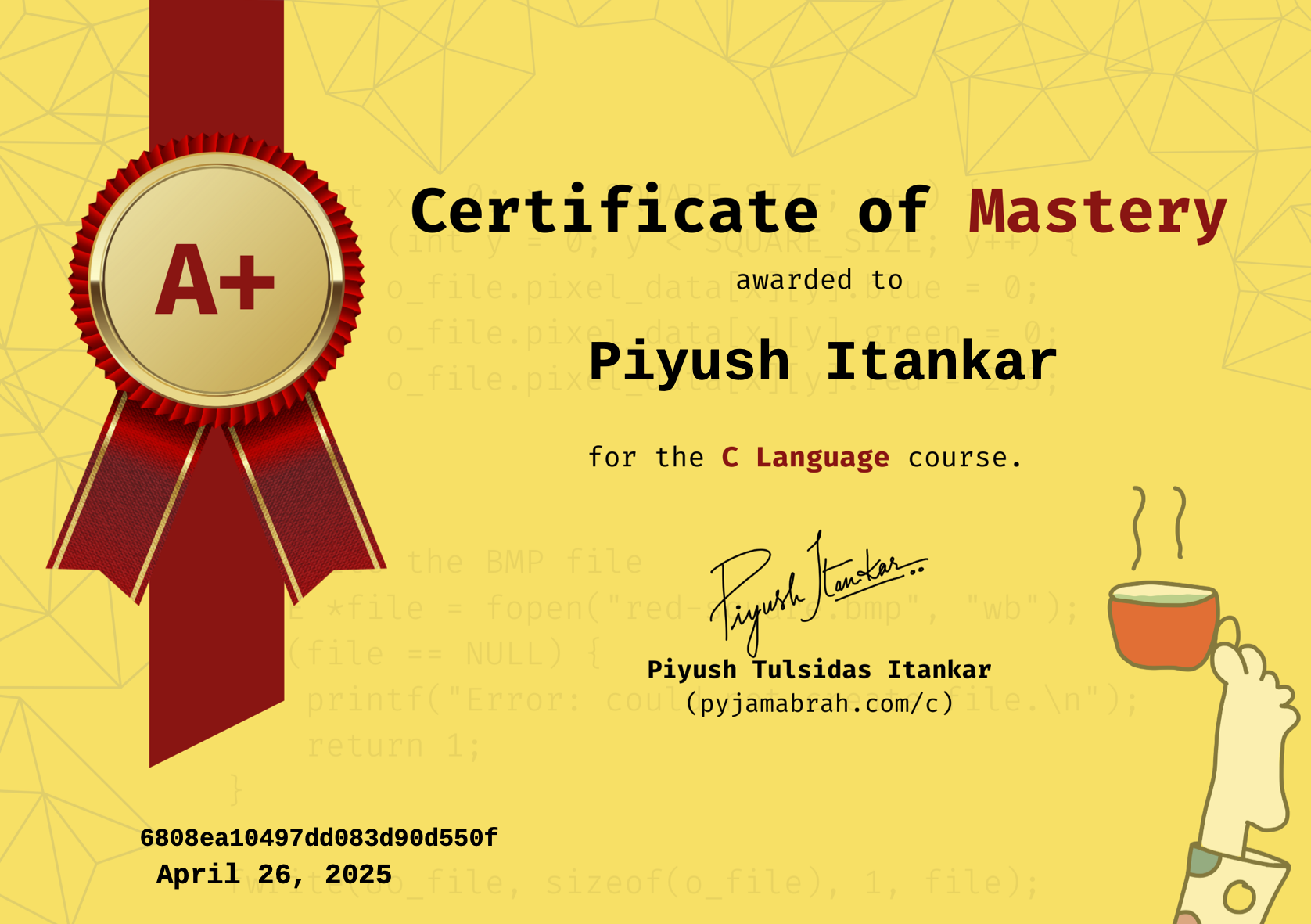
Earn a certificate for every technical track by completing 95% of the course work.
A Community to grow with
Members get access to exclusive feed and chat space. You can chat with each other and us.
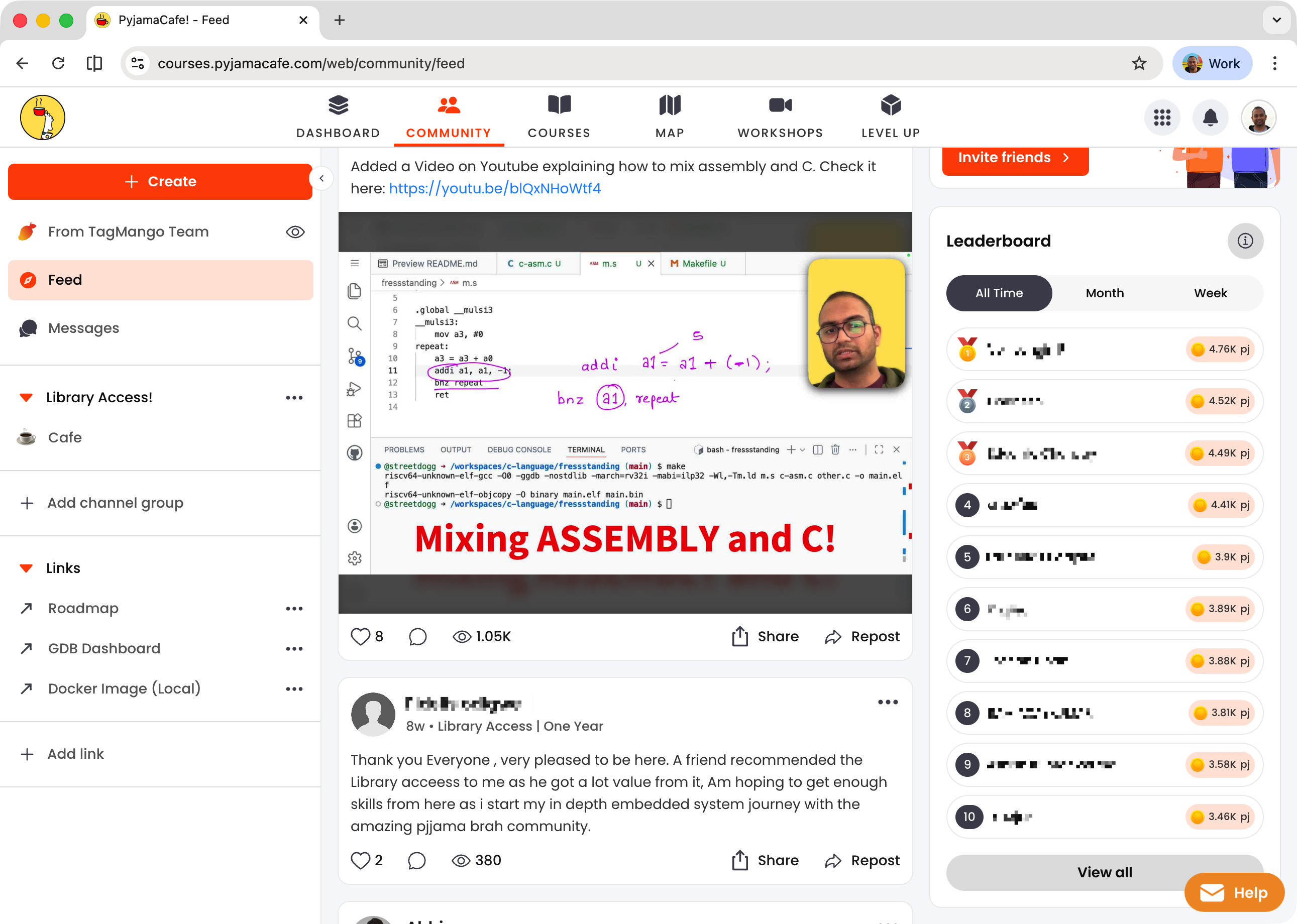
What sets this apart?
C language and pointers with focus on machine behavior
Detailed analysis of data types and significance.
Assembly and C Coding without IDE
Detailed explanation and view of Programmer’s model of CPU.
Mental models of various components in the System to reason based off.
A Bottom-Up Approach with the tinge of answering the Whys.
Thorough explanation of toolchain utilities (gcc, as, ld, ar, gdb etc)
Connecting the concepts with practical use cases and use in industry.
Hands-on experiments to prove every concept.
Focused on practical professional insights
Teach multiple CPU architectures (ARM-M, ARM-A, RISC-V).
Cover the toolchain utilities like compiler, assembler, linker and debug tools like GDB?
Learn at your own pace.
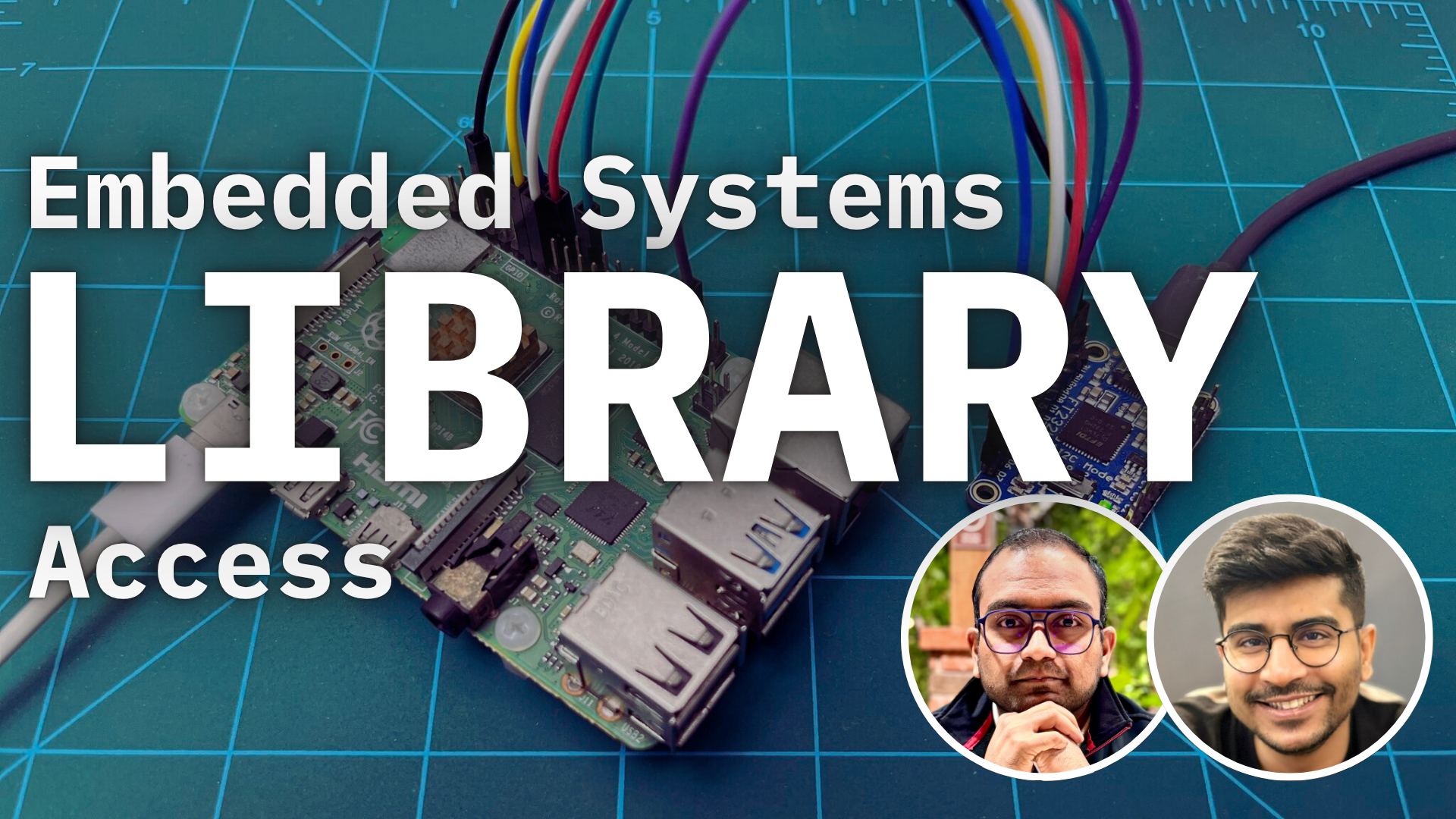
Instructors

Electrical Engineer holding a Master’s degree in Embedded Systems, with a proven track record at industry giants. At Intel, contributed expertise to Navigation Firmware, Bluetooth Driver development, and RF validation software.
Currently thriving as an Embedded Software Engineer at Google, drove innovation in Firmware development for the Power Management Sub-system on Tensor SoCs (Pixel Phones) and presently advancing system software for the Pixel Watch.

Computer Engineer holding a Master’s degree in Embedded Systems. Worked on improving the debug architecture of the Bluetooth Firmware at Intel. Worked on ARM64 architecture, programming and exercising latest ARMv8/v9 extensions - programming in low-level FWs (ARM TF-A, trusty) and kernels (LK and Linux) at Google.
Currently exploring the Pixel Watch Kernel and BSP (boot-loaders, Linux Kernel, Android HALs and frameworks).
Audience
Students in Academia with C as a subject in the course.
Firmware and System Software Engineers looking to revisit concepts.
Electrical/Electronics Engineers working on hardware programming.
Systems Engineer seeking gain system level insights.
Those curious to learn the underlying details of Systems and how to program it using C.
Requirements
GitHub account to do the hands-on coding in Codespaces.
Interest in the lower level working of the system.
Some exposure to Digital systems is good (but not strictly required).
Basic understanding of number systems, logic gates, bits and bytes is good to have (but not strictly required).
FAQs
What is the difference between these courses (paid) and the content on YouTube?
Some lectures from different courses have been put on YouTube as Preview. The are not structured and jump to a topic. The Courses in the Subscription are well structured and focused on developing a skill.
Is this recommended for beginners?
Yes! The courses are taught as if the learner has no idea about the subject. Each course starts of by ensuring that the basics needed to understand the followup lectures is understood.
Why a subscription model?
We are billed for the hosting and bandwidth by the platform provider. While we would very much like to offer lifetime validity, given the recurring bills, we have to ensure we continue to earn enough to be able to fund the effort and bring more value to our learners. The Monthly plan is for those who cannot afford the yearly subscription but can benefit from burst learning. To get the most out of our content, we recommend subscribing to the yearly plan.
Do I need a special machine configuration to take this course?
No! All you will need is an internet connection and the Chrome browser. The hands-on examples and lab work is based on GitHub codespaces platform. We use GitHub Codespace to ensure that you don’t struggle with the setup and focus on the learnings. You are always free to setup the environment locally. Although, we won’t support that, but you are free to do so. The courses, as much possible use a Emulator target of a real board, so if you wanted to run the code on real board. You can do so.
Why is a GitHub account needed?
The Experiments and Labs are based on the GitHub provided Codespaces virtual machine. Codespaces will enable a common work environment for all the learners and avoid the hassle of special setup.
Can I change my email-id post purchase?
As much as we’d like to support that, your account will be linked to your email-id post purchase.
What name will be printed on the Certificate?
The name you use on the platform will be printed as is on the Certificate when it is generated.
Can I follow the steps on my own PC?
Yes for the most part. Better yet would be if you have a linux machine.
I previously purchased a course from inpyjama/pyjamabrah, any discount for me?
Yes. We can offer a discount on the yearly subscription. Please reach us at support@pyjamacafe.com and be sure to include the details of your past investment. We will work on a custom discount for you.
Bestseller
Beginner
Intermediate
Advance